
Carlo Gavazzi EM111 Licznik Energii

Obsługiwane urządzenia
| Device Type | Modbus TCP (Ethernet) | RS485 |
|---|---|---|
| Carlo Gavazzi EM111 | ❌ | ✅ |
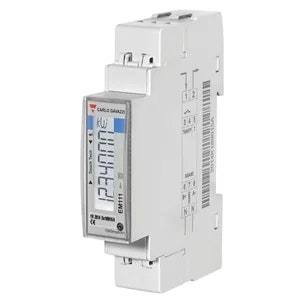
Okablowanie
RS485
Informacja
RS485 Wiring
- For correct RS485 wiring: Follow the guidelines for RS485 wiring.
- If the wiring shown in the table below is incorrect, please let us know.
- There is no general consensus in the industry about the usage of A and B for the RS485 polarity, so it may be counterintuitive and opposite of what you might expect for some devices.
| Device | GM Energy Controller model OM1 | GM Energy Controller model IG8 | RS485-USB converter | RS485-Ethernet converter |
|---|---|---|---|---|
| Terminal 8 / A- | RS485 A | RS485_POS | RS485 A | TX+ |
| Terminal 6 / B+ | RS485 B | RS485_NEG | RS485 B | TX- |
| N/A | RS GND | GND | Not available | G |
Konfiguracja
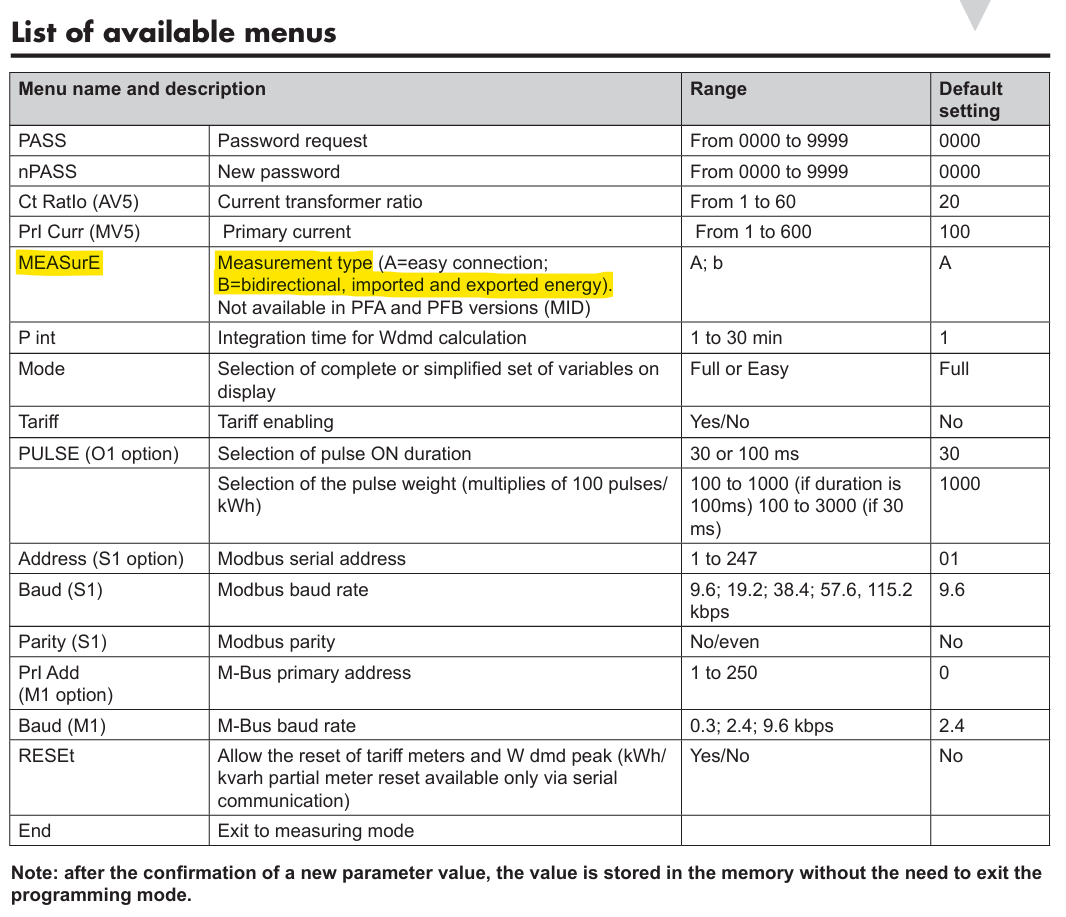
Sprawdź, czy licznik Carlo Gavazzi jest ustawiony na odczyt zarówno mocy importowanej, jak i eksportowanej. Nieodpowiedni tryb może prowadzić do:
- Braku odczytów mocy wprowadzanej do sieci, lub
- Liczenia mocy wprowadzanej do sieci jako pobór (dodatkowo do „rzeczywistego poboru”)
Możesz ustawić to w menu konfiguracji ‘MEASurE’ na liczniku energii. Powinno być ustawione na ‘b’.
Ostrzeżenie
Ostrzeżenie
To ustawienie może nie być dostępne w modelach certyfikowanych MID (numery modeli kończące się na PFA i PFB).
Ostrzeżenie
NOTE: RS485 Device Addresses
- You MUST give each device on the RS485 bus a unique address. Check the manual of the device on how to do this.
- Use lower addresses first (1, 2, ...) because the GM Energy Controller will find them faster!
- For each device, it is generally recommended to stick with the factory default baud rate, parity, and stop bits. The GM Energy Controller will scan on those first.
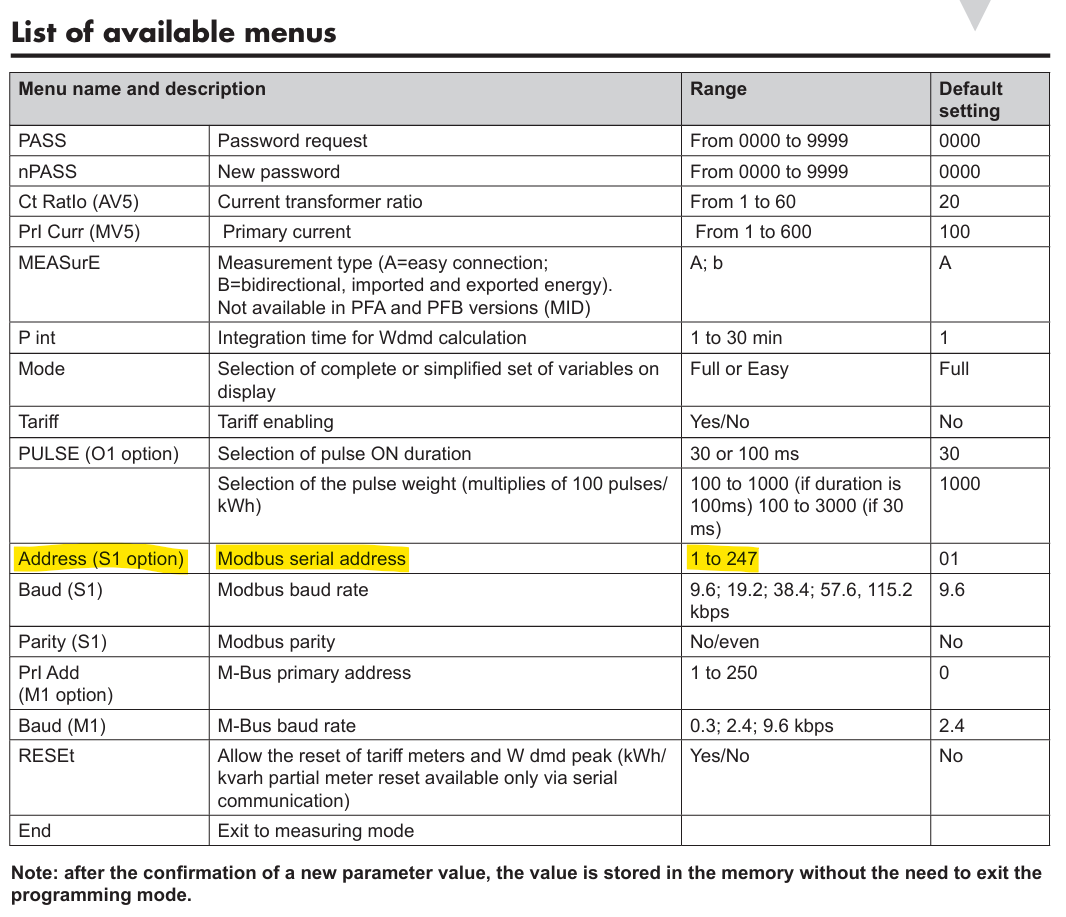
Ustaw adres Modbus w menu konfiguracji „Address” licznika mocy.
Last updated February 18, 2026Edit this page